
Geographic proximity
Your operating area, pickup coverage and distance limits.
Receive qualified transportation requests. Submit your quote. Speak directly with the patient.
MedicalRide connects transportation providers with patients, families, hospitals, social workers, discharge teams, care coordinators and other organizations arranging medical transportation. When a request matches your service area and capabilities, MedicalRide may send it directly to you.
No broker dispatching. No bidding portal to monitor all day. Requests come directly to you.
Patients, family members, caregivers, hospitals, discharge teams, social workers, case managers and care coordinators can submit requests, as can rehabilitation facilities, skilled nursing facilities, assisted-living communities and other healthcare organizations.
The form collects pickup and destination, date, transportation type, mobility requirements and contact details. Automated and operational checks help identify incomplete, duplicate, obviously invalid or unsuitable requests.
Your company decides whether the trip is appropriate and what price to quote.
Your operating area, pickup coverage and distance limits.
The vehicle, mobility assistance and services the trip requires.
Consistent, timely responses to relevant requests can help your priority.
Active members may receive priority when other relevant factors are comparable.
Being listed does not mean every provider receives every request. MedicalRide routes to providers likely to serve the trip.
Open the request email and review the pickup, destination, ride type, date, timing and assistance needs.
Check your vehicle, staffing and availability before responding. The email links to a secure response page; keep that link private. If the trip is unsuitable, decline it.
Patient contact details may be kept off the email. Use the contact action on the secure page when available.
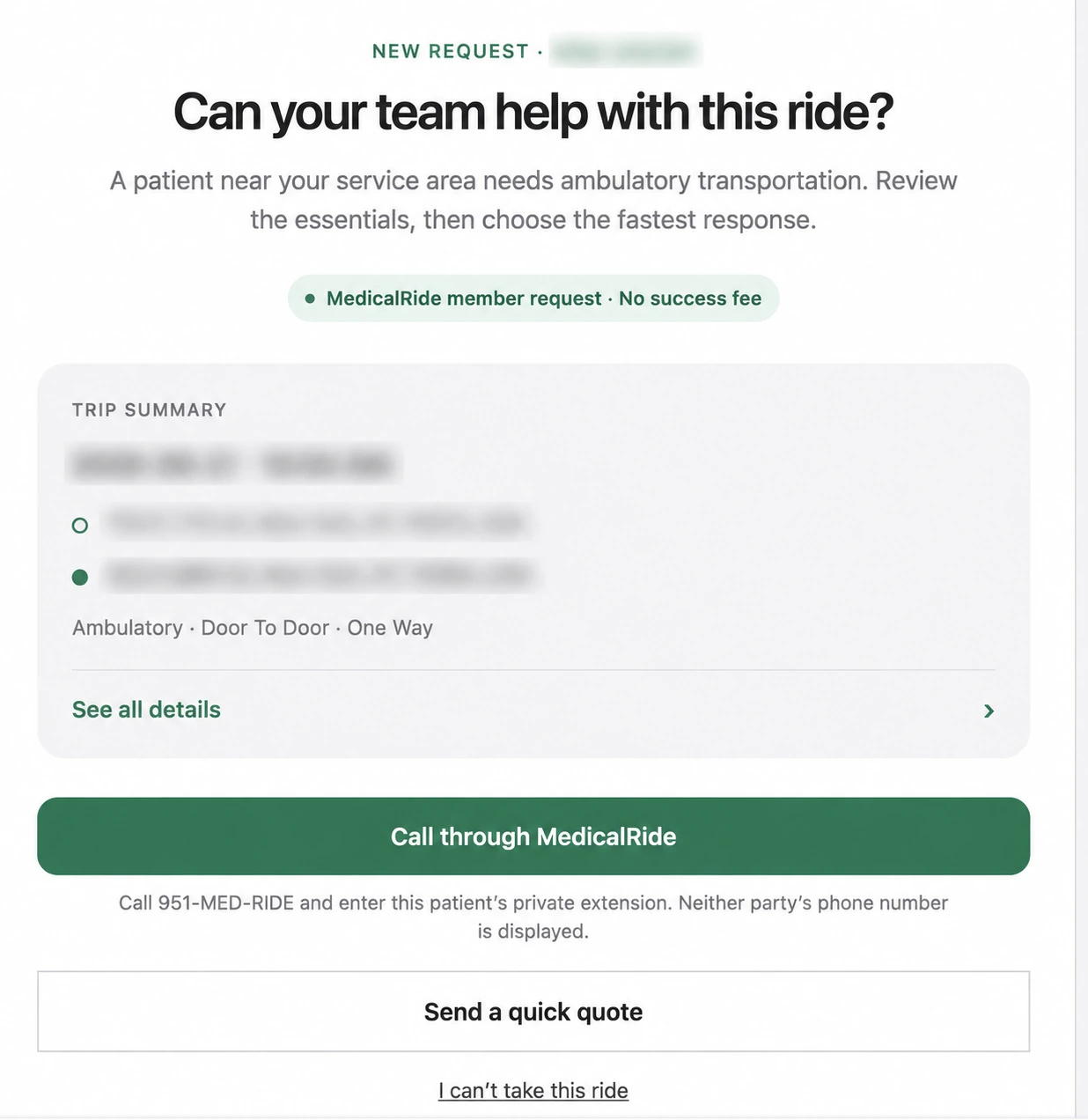
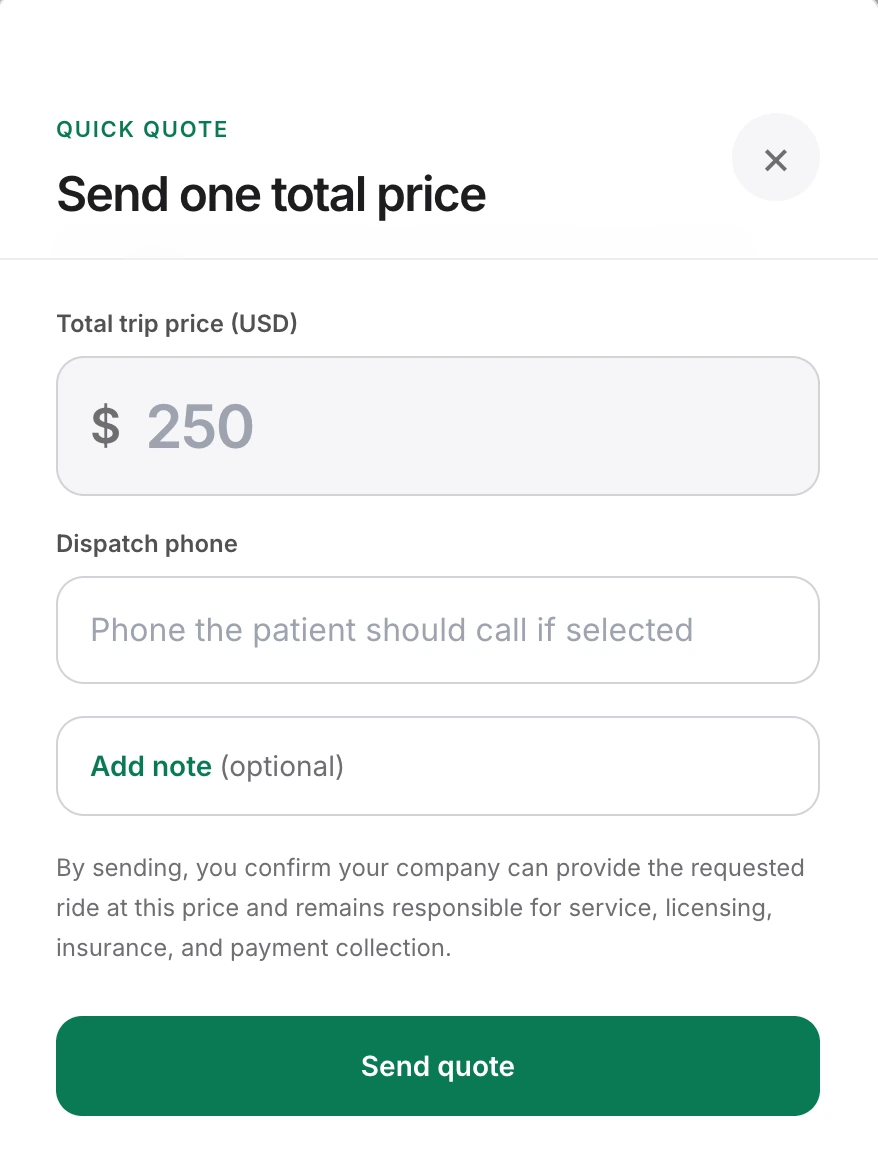
If you can perform the trip, we strongly recommend submitting your quote before calling the patient. It gives the patient something concrete to review and places your company into the active quote process.
MedicalRide is designed around three quotes so patients can compare without being overwhelmed. Speed matters.
If the trip works for you: quote first, then call.
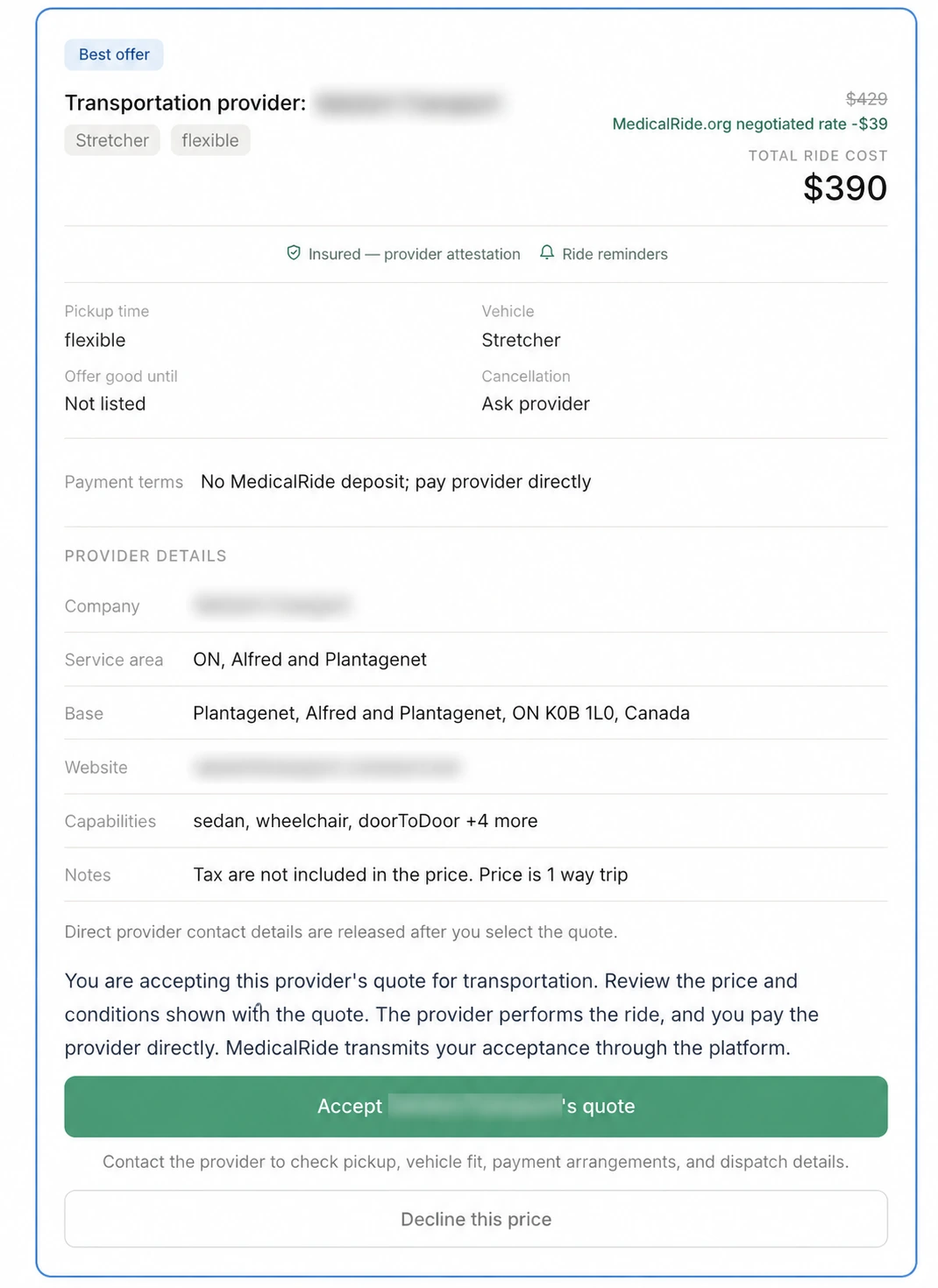
MedicalRide notifies the patient or requester by SMS and email when those contact channels are available. The notification links to the secure quote review page.
The patient can review your company, price, trip details and any notes before choosing Accept quote or Decline this price.
The patient decides whether to proceed. Submitting a quote does not require them to accept it.
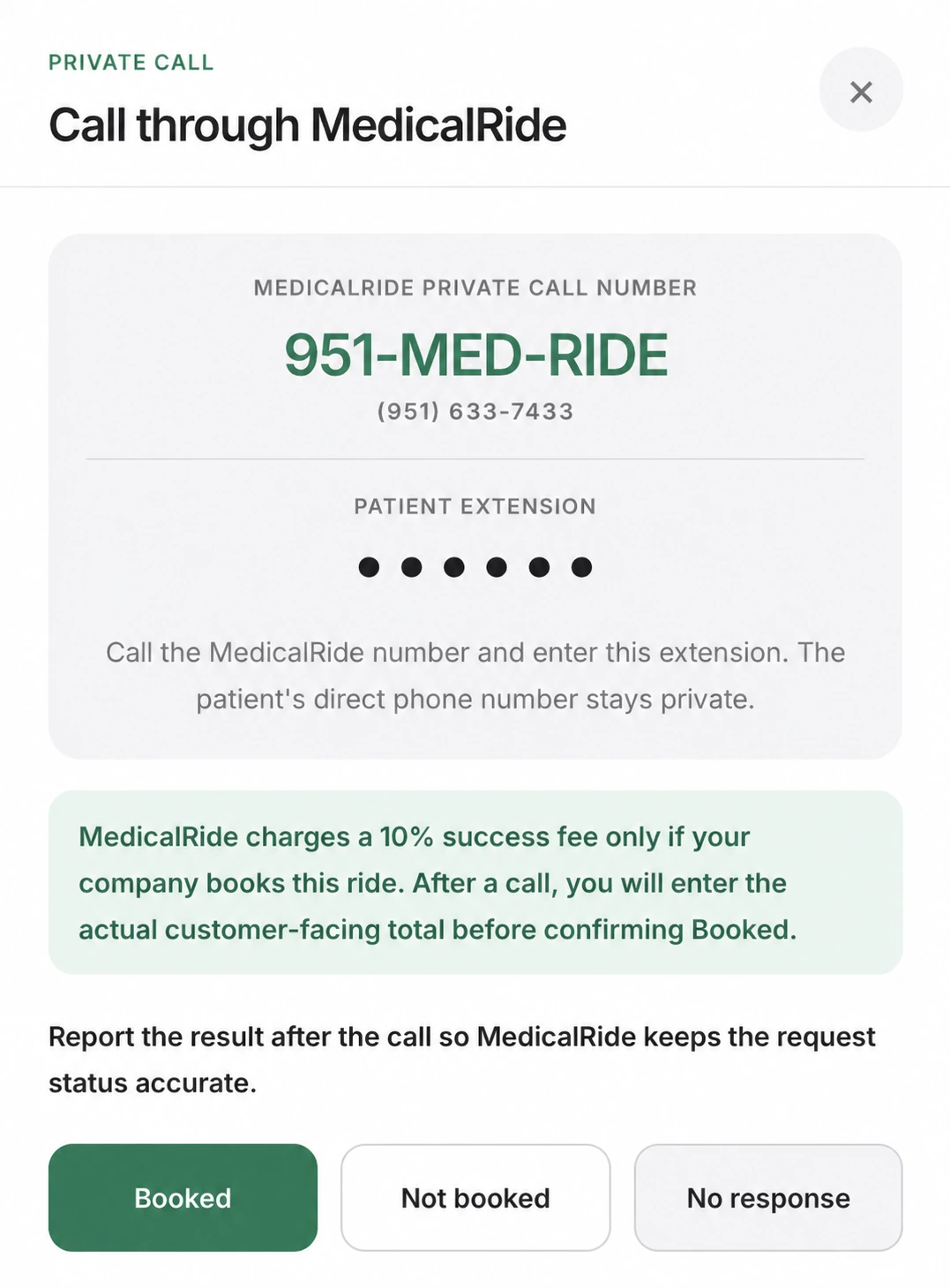
Use Call through MedicalRide on the secure response page and follow the displayed instructions. Where offered, dial 951-MED-RIDE and enter the patient’s private extension shown on your request. Use direct contact information only when that workflow makes it available.
Confirm timing, accessibility, pickup details, what your price includes and payment arrangements. A short conversation helps build trust and complete the booking directly.
The patient has both a written quote and a conversation with your team.
If the patient agrees to book, report Booked through the request’s call-outcome action and enter the actual agreed total when asked. Use Not booked or No response for those outcomes.
MedicalRide may ask the requester to confirm. Once recorded and confirmed, the request can close and further outreach can stop.
Do not continue competing after the patient confirms a booking with another provider.
MedicalRide connects the parties. Your transportation company provides the service and remains responsible for its drivers, vehicles, licensing, insurance and safe transportation.
This guide describes the marketplace quote flow. A Book Now or other product can have different deposit and acceptance steps; follow the specific request.
MedicalRide is designed around three provider quotes per request. Patients get a clear comparison without an overwhelming number of calls, and responsive providers get a realistic opportunity to win the trip.
Keep more of what you earn on member-routed bookings.
U.S.: starting at USD $25/month.
Your area’s price is shown before checkout.
Canada: CAD $50/month.
Non-members may still receive matching MedicalRide requests. Members receive routing priority.
There is no success fee just for reviewing, declining or submitting an unselected quote.
| Participation | MedicalRide Member | Non-Member |
|---|---|---|
| Receive matching requests | Yes, when eligible | Yes, when eligible |
| Routing priority | Higher when other factors fit | Standard |
| Submit quotes | Yes | Yes |
| Contact patient/requester | Through the permitted workflow | Through the permitted workflow |
| Success fee | 0% on member-routed requests | 10% on confirmed marketplace bookings |
| Membership | Month-to-month | None |
Membership does not guarantee transportation requests or bookings. Volume varies by geography, demand, services, responsiveness and other matching factors. Joining does not change the fee already disclosed for an earlier request. Read the current provider terms.
The active quote window can fill quickly.
Give the patient a clear written price to review.
Answer questions and confirm details personally.
Maintain service areas, capabilities and company contacts.
Preparing for enrollment or renewing coverage? Use the NEMT insurance requirements guide to organize the questions and documents to review with a licensed insurance professional.
No. Review each request and respond only when your company can appropriately provide the transportation. Use the decline action when it is not a fit.
Yes. Providers determine the price they want to quote for each request.
No. The provider submits its own quote unless a specific MedicalRide product explicitly states otherwise.
MedicalRide is designed around three eligible provider quotes per request, giving patients a simple comparison without overwhelming them. Respond quickly if you want to be considered.
We recommend submitting your quote first, then calling. That gives the patient a written price to review by SMS and email while you answer their questions.
Phone bookings count too. Report the booking through the request. MedicalRide can ask the patient to confirm, then close the request so additional providers are no longer contacted.
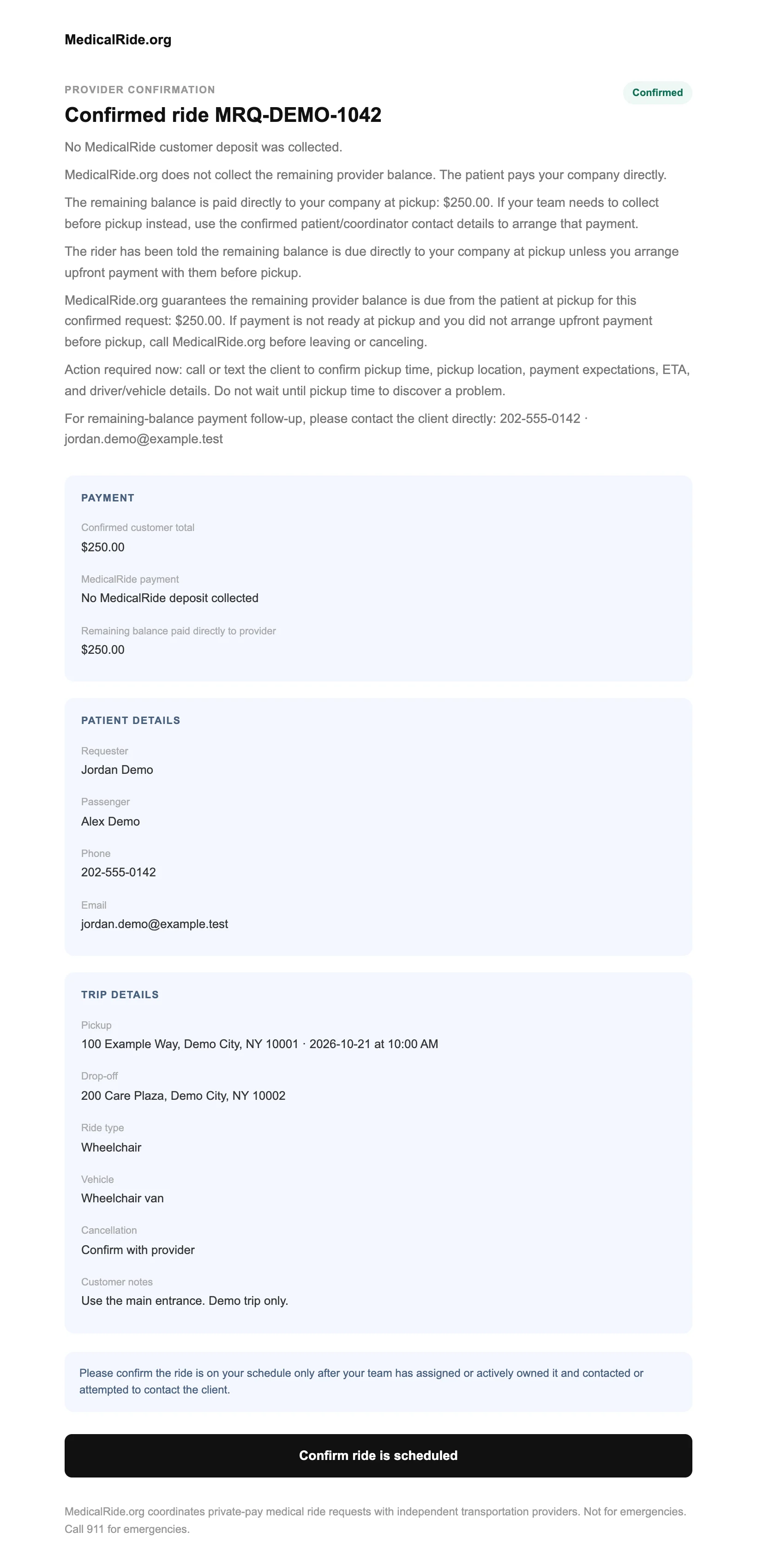
MedicalRide sends a confirmation, and you and the patient coordinate the transportation directly.
No. MedicalRide connects the parties. Patients choose whether to book and which provider to use.
Active members pay 0% MedicalRide success fee on member-routed marketplace bookings, subject to the current membership terms.
When a non-member books a MedicalRide-originated request, the success fee is 10% of the applicable booking amount. MedicalRide automatically invoices the provider through its billing process. No booking = no success fee.
Membership is month-to-month and renews monthly. Manage or cancel through your provider dashboard according to the current membership terms. Your exact price is shown before checkout.
Keep your profile accurate, respond quickly to appropriate requests and give patients a clear quote they can act on.
Membership does not guarantee request volume or bookings.